
WordPress migration. Move your content, integrations, and SEO.
Modernization that keeps the business running. From legacy setups and page builders to Gutenberg and Full Site Editing – without rebuilding from scratch.
A WordPress site that’s been at the core of the business for years has accumulated content, integrations, SEO authority, and team workflows. Modernizing it doesn’t have to mean starting over. We rebuild the system in parallel and migrate everything that matters.
WHAT CHANGES
Five areas of modernization. Everything that matters stays.
WordPress modernization that updates the foundation while preserving the value built on top. Experienced engineers handle the rebuild, so the team running the business doesn’t have to.
01
Architecture
Old WordPress setups grow organically: custom post types added on the fly, integrations bolted on, code added by whoever was available. We replace the foundation with a current Gutenberg and Full Site Editing setup, designed around how the system is actually used.
The result: a clean architecture the team can extend without breaking things.
02
Editor experience
Page builders (Elementor, Divi, WPBakery) ship as third-party plugins that load extra code on every page and lock the site into their ecosystem. Gutenberg and Full Site Editing are part of WordPress core.
The result: familiar block-based editing for the marketing team with better performance, fewer dependencies, and no plugin lock-in.
03
Performance
Modern WordPress without builder overhead loads faster, scales better, and uses cleaner markup that Google can read.
The result: improved Core Web Vitals, better positioning in search results, lower hosting costs as the site scales.
04
Security
Page builders and their add-ons are common attack vectors. Each plugin is another moving part to keep updated and patched. A modern WordPress core setup reduces the surface area significantly.
The result: a smaller security footprint, fewer vulnerabilities to track, simpler ongoing maintenance.
05
Marketing self-service
Old setups force every page change through the development team. Modern Gutenberg with a custom block library lets marketing build landing pages, edit hero sections, and ship campaigns without a developer in the loop.
The result: faster time-to-market for campaigns, fewer development tickets, less coordination overhead.
Want a formal performance or security audit before migrating?
A WordPress audit (one-off measurement and assessment with documented findings) is part of
WordPress audits →
WHO NEEDS THIS
Familiar situations we know how to handle.

Your WordPress has been running for years
The site started small, grew with the business, accumulated plugins, custom code, and editorial workflows. It works, but it’s hard to extend, slow to maintain, and the admin panel is painful to use day-to-day. The team knows it’s time. They’re just not sure how to do it without taking the business offline.
We rebuild in parallel. The current site keeps running while the new system is built, tested, and prepared. The switch happens once, with full content, integrations, and SEO preserved.

The marketing team is blocked by development tickets
Every landing page, hero update, or campaign change requires a development ticket. Releases take weeks instead of days. Marketing wants to move fast; the system doesn’t allow it. The cost of waiting compounds with every campaign.
We modernize the editor experience. Gutenberg with a custom block library means marketing builds and ships landing pages on their own schedule. Developers focus on architecture and integrations, not page edits.

An audit pointed to modernization
A performance audit shows the bottleneck is the extra load that page builders add to every page. A security audit flags the growing number of third-party plugins. An architecture audit recommends a foundation rebuild. Different audits, same direction: it’s time to modernize.
We act on the audit findings without redoing the analysis. The migration plan is built directly from what the audit identified.
METHODOLOGY
How a WordPress migration project runs.
STEP 01
Discovery and current-state inventory
We map what’s currently in the system: content types, taxonomies, custom code, plugins, integrations, hosting, traffic patterns, SEO authority. The inventory becomes the specification for what gets preserved and what gets replaced.
STEP 02
Architecture design for the new system
We design the modernized WordPress: Gutenberg block library, custom post types, integration architecture, migration plan. You approve the design before any production work starts.
STEP 03
Build the new system in parallel
The new WordPress is built on a separate environment. The current site keeps running. Marketing keeps publishing. Sales keeps selling. The new system gets built, tested, and reviewed without touching production.
STEP 04
Content, integrations, and SEO migration
We migrate content, custom data, integrations, redirects, and metadata to the new system. The current SEO authority is preserved through careful URL mapping and 301 redirects.
STEP 05
Switch and monitor
The switch happens during a planned window. We monitor everything – traffic, indexing, integrations, performance – in the period after switch. The legacy system stays available as fallback during the transition.
WHAT YOU GET
A modernized WordPress with everything that mattered preserved.
Current Gutenberg and Full Site Editing, a custom block library matched to your team’s workflow, clean architecture, documented and ready to extend.
Posts, pages, custom data, media library, redirects, metadata – migrated and verified. SEO rankings preserved through careful URL mapping and 301 redirects. Integrations reconnected and tested.
Custom block library that lets the marketing team build pages, update hero sections, and ship campaigns without developer involvement.
Written documentation of the new architecture, custom blocks, content model, and editorial workflow. Training session for the team that will operate the system.
Continuation as part of Growth & Care for ongoing development and maintenance, or a clean handoff if you have an internal team ready to take over.
After the migration
Continued development as part of Growth & Care, or a clean handoff if there’s an internal team ready to take over.
CASE STUDIES
WordPress in practice.
LernerPython
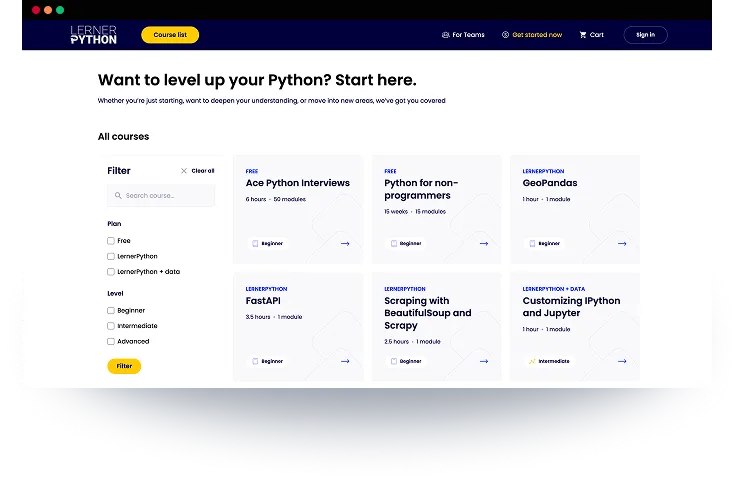
LernerPython is a premium, membership-based e-learning platform created by Reuven Lerner, an internationally recognized teacher and author of books on the Python programming language. The platform offers: structured Python courses, weekly coding challenges, access to a community via Discord, and long-term memberships for programmers at various skill levels.

Enostrada
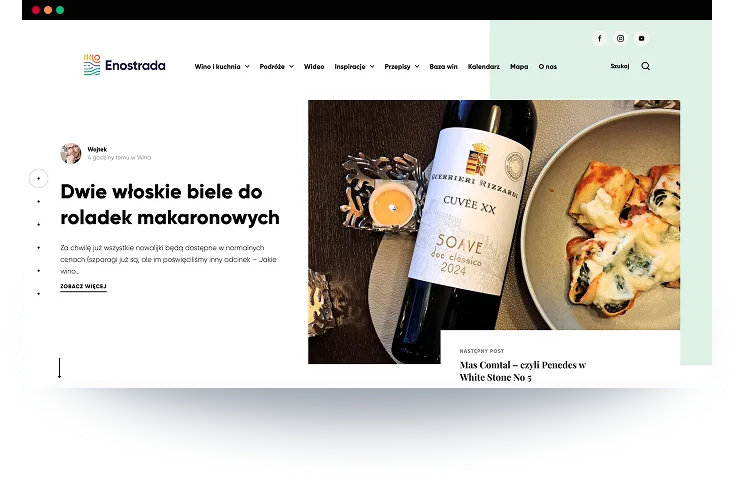
A lifestyle media project created by three enthusiasts: Robert (wine expert), Wojtek (culinary creator) and Kamil (travel & experiences). Their vision: a single modern platform combining wine, food, travel, and events, supported by high-quality articles, reviews, pairings and guides.

SCCG
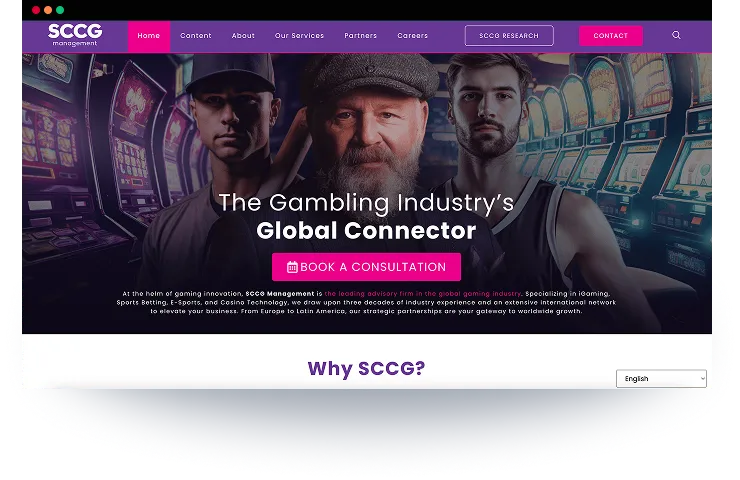
SCCG Management is a leading consulting firm serving the global gaming industry, working with operators, suppliers, regulators and investors across multiple jurisdictions.
Questions about
WordPress
migration.
Yes. SEO preservation is a core part of the migration plan. URL structures map carefully, 301 redirects handle anything that changes, metadata transfers, content stays. We monitor indexing and ranking after the switch.
Yes. The new system is built on a parallel environment. The current site keeps running during the entire build and testing phase. The switch happens during a planned window with the legacy system available as fallback.
Depends on the scope: how much content, how many integrations, how complex the existing system. A typical migration runs several months from discovery to switch. The discovery phase determines the realistic timeline for a specific situation.
Each integration is reviewed and reconnected to the new system. Custom code is evaluated: keep, rewrite, or replace with a cleaner approach. The decision happens in the architecture phase, not at the end.
Not always. The discovery phase covers the equivalent ground for migration planning. If you want a formal audit document for board or compliance reasons, that’s WordPress audits – it can run before or alongside the migration scoping.